A MILS plate is a Lego baseplate that has been raised by one brick and one plate, with Technic bricks at the corners so that it pins to the next one. MILS stands for Modular Integrated Landscaping System, and every module is 32 × 32 studs. Each module starts with one 32 × 32 baseplate, so our pick for the bottom layer is Lego's Green Baseplate 11023, one per module.
The rules below come from the original MILS specification, which HispaBrick Magazine first published in its issue 13 in early 2012. The parts list is our own plan for one standard module. We worked it out on paper and took the part weights from BrickLink's catalogue. What we say about converting a city comes from moving our own buildings onto MILS.
Our pick for the bottom layer: Lego's 32 × 32 baseplate
Green Baseplate 11023
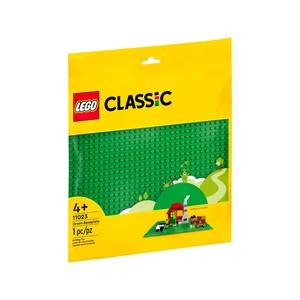
- Pieces: 1
- Age: 4 and up
- 32 × 32 studs, 25.6 cm square: one MILS module
A MILS module needs a 32 × 32 surface, and this baseplate is exactly that: 25.6 cm square, thin and flat underneath. Lego has sold this green version since 2022. The colour hardly matters, because the plates on top cover it completely. That is also why old baseplates from earlier sets are worth reusing here: they disappear under the module, and they cost you nothing extra.
The spec also allows you to make up the 32 × 32 surface from smaller baseplates, such as two 16 × 32 or four 16 × 16. One of the spec's examples uses two loose 16 × 32 halves, which can be swapped around to make different modules from the same parts. If you are buying new, one 32 × 32 baseplate per module is the simplest choice.
MILS, Technic frames or plain baseplates: the options compared
| Base for a 32 × 32 area | Surface height above the table | Parts per module | Weight per module (calculated) | Link to the next module |
|---|---|---|---|---|
| Plain baseplate, for example 11023 | about 0.16 cm | 1 | about 107 g | none; buildings are pinned to each other |
| MILS with four 16 × 16 plates on top (our plan) | about 1.44 cm | 46 plus pins | about 307 g | Technic pins through 1 × 4 Technic bricks |
| MILS with 64 plates of 4 × 4 on top | about 1.44 cm | 106 plus pins | about 310 g | Technic pins through 1 × 4 Technic bricks |
| Four 16 × 16 Technic frame bricks (65803) on a baseplate | about 1.44 cm | 5 | about 316 g | pins in the frame's side holes; check the alignment |
All heights are measured to the top of the surface plates, without studs, using 3.2 mm per plate and about half a plate for the baseplate. Our guide to Lego brick dimensions explains where the 3.2 mm come from. The weights add up BrickLink's catalogue weight for each part. The MILS rows cost more parts and money than a bare baseplate, but you get a rigid module, room for cables and a ground level you can dig down into for rivers and ditches.
How a MILS module is built
A standard module has three layers:
- The baseplate. One 32 × 32 baseplate, or smaller baseplates that add up to 32 × 32.
- A layer of bricks. One brick high, which equals three plates. It carries the Technic connectors at the corners and a grid of supports for the surface.
- The surface. Plates over the whole area, which make the fourth plate of height.
The MILS spec puts the standard surface at one baseplate plus four plates. That puts the ground about 1.44 cm above the table, compared with about 0.16 cm for a bare baseplate. The brick layer is what makes MILS more than a thick plate. Between the supports there is a hollow space three plates deep, where you can run cables or set a pond or a ditch below ground level.
The spec leaves the inside of a module to you. The surface just has to be supported well enough. Hidden support bricks can be any colour, and used or slightly marked bricks are fine here. The same goes for the surface plates if you cover them with tiles: whatever is under the tiles is never seen.
Corners, Technic bricks and how modules connect
The corners are the only part of a module that the spec fixes in detail:
- Identification corner: the 2 × 2 studs at each corner are kept for a colour code that shows whose module it is. The spec recommends it but does not require it. A 2 × 2 brick in your colour is enough.
- Technic bricks: on every side, a 1 × 4 Technic brick sits right next to each corner. On a 32-stud side that means studs 3 to 6 and 27 to 30, so eight Technic bricks per module.
- The rest of the edge is up to you.
Because every module has its Technic bricks in the same places, two modules side by side have their holes lined up. A Technic pin through each pair of bricks holds them together, so they cannot slide sideways or lift apart. We suggest one or two friction pins per pair, which makes two to four per shared side. Some builders put a 1 × 2 Technic brick with an axle hole behind each 1 × 4 Technic brick. That lets a 4-long axle reach two studs deep into each module, which resists twisting better than a short pin.
A 1 × 4 arch in the middle of each side is a common extra, though it is not in the spec. It leaves a gap where cables for lights or trains can pass from one module to the next.
Roads, paths, rivers and shores at the edges
MILS only sets rules where your modules touch someone else's. Inside your own layout you can build anything. Where an edge is shared, the feature has to arrive at the same place and height as on the other side:
| Feature at a shared edge | Width at the edge | Position | Height |
|---|---|---|---|
| Path | 4 studs | middle of the side | standard: baseplate plus 4 plates |
| Track (unpaved) | 8 studs | middle of the side | standard |
| Paved road | 16 studs, surfaced with tiles | middle of the side | one plate higher than standard |
| River | 8 studs | middle of the side | water 2 plates above the baseplate, banks at ground level |
| Sea or lake shore | shoreline meets the edge at stud 16 | middle of the side | water 1 plate above the baseplate |
| Hill | slope profile on the edge | whole side | up to 5 bricks above the surface |
| Mountain | slope profile on the edge | whole side | up to 16 bricks above the surface |
The spec suggests trans-dark-blue tiles for rivers and lakes, and blue tiles with white and trans-clear details for the sea. For hills and mountains, each side follows one of four profiles: level, a long slope, a short slope or fully raised. Two modules that meet must have the same profile on that side. A module whose four sides all match the plain ground is called a BTM and can be turned any way. One with a road, river or slope at the edge is a CTM and cannot be turned freely.
For curves and features that do not fit the 32-stud grid, the spec allows larger groups of modules, as long as their outer edge comes back to the MILS rules in multiples of 32 studs. Brick-built road modules also do not have to look alike. We varied the pavement width from one road module to the next, and only the road edges where modules meet have to line up.
Parts list for one standard MILS module
This is our own plan for a plain ground module with a cable gap on every side. It sticks to the spec's corner rules and supports the surface plates at every seam.
| Part | Part number | Quantity | Job in the module |
|---|---|---|---|
| Baseplate 32 × 32 | 3811 | 1 | bottom layer |
| Brick 2 × 2 | 3003 | 4 | identification corners |
| Technic brick 1 × 4 with holes | 3701 | 8 | connectors, two at each corner |
| Brick 1 × 4 | 3010 | 16 | rest of the edge, four per side |
| Arch 1 × 4 | 3659 | 4 | cable gap in the middle of each side |
| Brick 2 × 2 | 3003 | 9 | inside supports, in a 3 × 3 grid |
| Plate 16 × 16 | 91405 | 4 | surface |
| Technic pin with friction ridges | 2780 | 2 to 4 per shared side | joins two modules |
That is 46 parts per module, plus pins, and about 307 g. The inside 2 × 2 bricks sit at studs 8 and 9, 16 and 17, and 24 and 25 in both directions. The middle row straddles the joins between the four 16 × 16 plates, so each plate is held at its edges and no gap in the surface is wider than six studs. If heavy buildings will stand on a module, add more supports under them.
You can also build the surface from 64 plates of 4 × 4 (3031) instead of four plates of 16 × 16. That gives 106 parts and about 310 g per module. We prefer the small plates: you can mix colours to match roads and grass much more easily, and small plates are sometimes cheaper per stud than large ones. Under tiles, the colour does not matter at all.
What a MILS city costs in parts and weight
A single module looks modest. A whole city adds up quickly. A square of 4 × 4 modules measures 102.4 cm on each side, just over one square metre, and needs 16 modules. With our plan, that is:
- 16 baseplates of 32 × 32
- 64 plates of 16 × 16 (or 1,024 plates of 4 × 4)
- 128 Technic bricks of 1 × 4
- 256 bricks of 1 × 4 and 64 arches of 1 × 4
- 208 bricks of 2 × 2
- about 4.9 kg of Lego
Every module covers its baseplate twice: once with the baseplate and once with the surface plates. Add the bricks in between, and this is the main cost of MILS. Prices for plates change too often to quote here, so compare BrickLink and Lego's Pick a Brick part by part before you order. When we compared plates and tiles, BrickLink came out clearly cheaper, but check again for your own list. Old baseplates and leftover bricks for the hidden layers cut the bill further.
Putting modular buildings and large sets on MILS
The biggest lesson from our own city: decide on MILS before the city grows. Moving finished buildings onto modules one by one is slow work, and as long as some buildings still stand on plain baseplates, their pavements sit four plates lower than the ones on MILS.
There are two ways to get a building onto a module:
- Set it down on top. A Lego modular building keeps its own baseplate and stands on the module's surface. It is quick, but the building is not fixed to the module, and no cables can pass through the surface into it.
- Rebuild its ground floor onto the module. You take the building off its baseplate and build the first layer straight onto the module's plates. That takes longer, but the building is held firmly and cables can come up from the hollow brick layer.
Sets that fold open, such as some castles, are a special case. Fixed to a module, they lose their hinge. When folded, their wall sections do not sit on parallel stud rows either, so you need an adapter or a custom base for them.
Alternatives to MILS
MILS is not the only way to build a city base, and it is not always the best:
- Plain baseplates. This is how Lego itself designs its modular buildings: each stands on its own baseplate, and the buildings clip together with Technic pins. It is the cheapest option and the lowest, but the baseplates themselves are not joined and slide apart easily.
- Technic frame bricks. The 16 × 16 Technic brick with holes (65803) is one and a third bricks high, which equals four plates. Four of them on a 32 × 32 baseplate reach the standard MILS height with only five parts and about 316 g per module. We have not checked whether its side holes line up with the 1 × 4 Technic bricks of a standard module, so test the fit before mixing both kinds in one layout.
- 3D-printed frames. Printed MILS frames in 16 × 16 format are available as free files. We have not tried them, and they are not Lego parts, so how well they fit depends on the printer and the file.
If you build alone and never move the city, plain baseplates may be enough. MILS pays off when modules travel to exhibitions, when you want terrain below ground level, or when you share a layout with other builders.
Lego MILS FAQ
What does MILS stand for?
Modular Integrated Landscaping System. It is a building standard from HispaBrick Magazine for landscape modules that different builders can join into one display.
How high is a MILS plate?
A standard module is a baseplate plus four plates: one brick plus one plate on top of the baseplate. The surface is about 1.44 cm above the table without studs. Paved roads sit one plate higher.
How many parts does one MILS module need?
Our plan uses 46 parts plus pins with four 16 × 16 plates on top, or 106 parts with 4 × 4 plates. With four 16 × 16 Technic frame bricks it is only five parts, but check their fit with standard modules first.
Can Lego modular buildings stand on MILS?
Yes. A 32 × 32 modular building covers exactly one module. You can set it down on its own baseplate or rebuild its ground floor onto the module, which holds it more firmly.
Where to go next
For planning the city around your modules, see our guide to planning and building your own Lego city. If you are still choosing a first building to stand on them, our comparison of which Lego modular to buy first covers footprint and budget. Terms like baseplate, tile and stud are explained in our Lego glossary.